
Spades - Classic Cards
Tripledot Studios LimitedCard
4.83.83K Reviews
- Version
- 1.16.00
- Installs
- 1.00M
- Age Rating
- Everyone
Screenshots
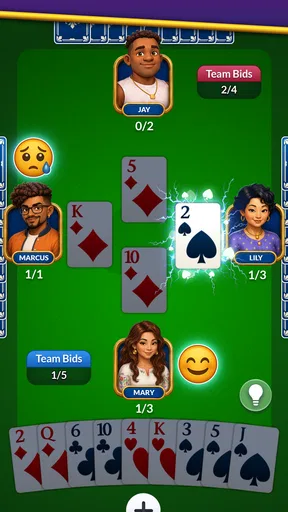
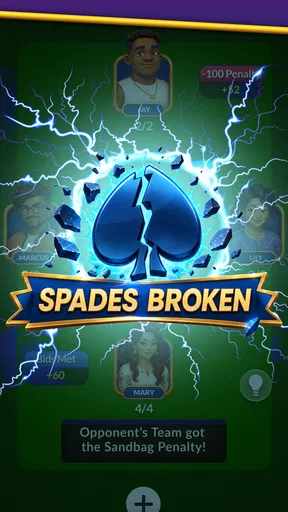
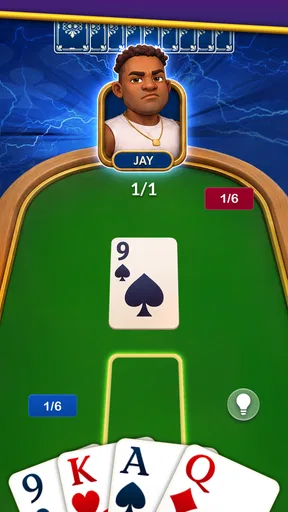
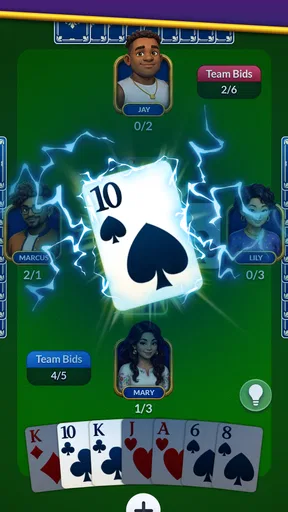

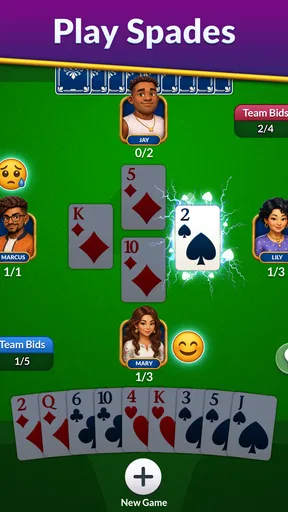
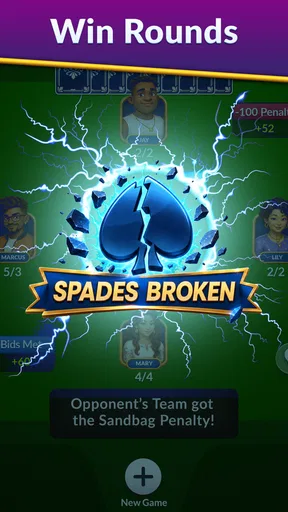
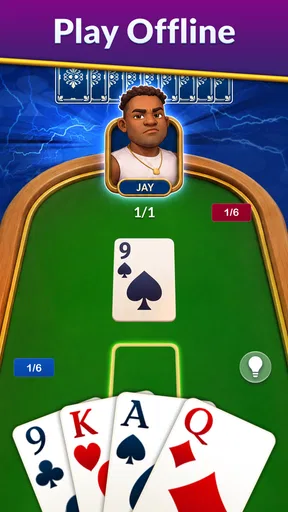
Our Review of Spades - Classic Cards
 Analysis by Appyee
I approached Spades - Classic Cards as the kind of game I could open for a few quiet minutes, learn without a rulebook beside me, and gradually take more seriously. It is a free card game from Tripledot Studios Limited, built around Spades, a partnership game where bidding, communication through play, and careful counting matter more than fast fingers. The store summary focuses on playing and mastering the classic game, and that is a fair description of its appeal: the entertainment comes from making better decisions, not from collecting complicated controls.
What makes this version approachable is the familiar structure. You are not learning a new fantasy card system or trying to understand a large menu of unrelated modes. You are sitting down to play Spades, following the cards already in your hand, and deciding how confidently to bid. That simplicity is useful for a first-time player, although the game itself has more depth than its short description suggests. A weak hand can still be managed well, while an apparently strong hand can become awkward if the bid is too ambitious.
The game is listed as free and suitable for Everyone, which makes it easy to recommend as a low-commitment download for casual players. It has an average rating of 4.9 from around 44 thousand ratings, with more than a million installs, so it has clearly found an audience beyond people who only play cards at a physical table. I would still treat those numbers as a sign of popularity rather than proof that every player will enjoy it. Spades has a particular rhythm, and people who prefer rapid action or solitaire-style relaxation may find the partnership decisions slower than expected.
From the first deal to a meaningful win
I focus on the point where a new player can stop merely following the cards and start making choices with a purpose. A modest bid, a careful look at which suits have already appeared, and one deliberate decision about when to spend a spade can make the first hand feel understandable rather than lucky. From there, the next useful step is learning to read the partnership’s needs across the whole deal.
What to expect when you begin
The first useful thing to understand is that Spades is a trick-taking game, not simply a matter of playing your highest card. Each player receives a hand, players bid for the number of tricks they expect to take, and then the cards are played one trick at a time. Spades act as the trump suit, so they can beat cards from other suits once spades have been introduced according to the game’s rules. That single detail changes the value of almost every card in your hand.
If you have never played before, do not worry about trying to calculate the entire deal. On your first hand, focus on three questions: how many spades you hold, whether you have high cards in other suits, and whether a suit appears weak enough that you may be able to lose it safely. This gives you a practical starting point for bidding without turning the opening minutes into a mathematics exercise.
The most reassuring part of the design is that a first-time player can learn through repetition. You can watch how a trick develops, notice which cards have already disappeared, and adjust your next decision. I found that the game becomes more readable once I stopped judging each card in isolation. A queen may be useful in one hand and dangerous in another, while a small spade can become valuable after higher spades have been played.
There is also an important difference between playing your own hand well and helping your team meet its combined bid. A player who takes every possible trick may still hurt the partnership if the extra tricks create penalties or interfere with the teammate’s plan. That team perspective is where the game starts to feel like a genuine strategy title rather than a simple card pastime.
Setting up your first session
Installation is straightforward for supported devices, with the game requiring at least Android 7.1. The current version is 1.15.00, and the app is available without an upfront purchase. In-app purchases range from $0.99 to $99.99 per item, so I would make a habit of checking any purchase prompt carefully, especially if the phone is shared with children. The Everyone age classification makes it broadly accessible, but an age rating does not remove the need for sensible purchase controls.
Once the game is open, my advice is to begin with the simplest available play path rather than immediately searching for every option. The best first session is not the one where you inspect every screen; it is the one where you complete a hand and understand why the result happened. If a tutorial or guidance prompt appears, read it instead of tapping through automatically. In a rules-heavy card game, a few seconds spent understanding bidding can save a great deal of confusion later.
Before your first serious attempt, decide what you want from the session. If you are testing whether the game suits you, play without worrying about your score. If you already know traditional Spades, use the opening hand to see how the digital presentation handles the parts you care about: the clarity of the bid, the visibility of played cards, and the ease of following the current trick. Those details matter more than decorative presentation because they affect every decision.
I also recommend keeping the first session short enough that you can remember the reasoning behind each mistake. A full game can become a blur if you are still learning the interface. Completing one meaningful hand, reviewing the outcome, and then starting another is a better learning workflow than playing on autopilot for a long stretch.
Your first successful action
A good first success is not necessarily winning the whole game. It is making a bid you can explain afterward and then playing toward it deliberately. Suppose your hand contains a few dependable high cards and several spades. Instead of promising an unrealistic number of tricks, choose a bid that reflects what you can reasonably control. The aim is to give your partnership a target that matches the hand rather than your optimism.
During play, watch the lead suit. If you cannot follow that suit, you may have an opportunity to use a spade, but spending a strong trump too early can be wasteful. I often find it better to preserve a useful spade until the table has revealed more information. Conversely, holding every spade too long can also be a mistake if the opponents are allowed to take easy tricks in other suits.
One practical habit is to remember the suits you have already emptied. Once you are out of a suit, future leads in that suit give you more flexibility because you can discard a card or use a spade. This is one of the first genuinely powerful ideas a new player can apply. It turns a seemingly poor hand into a hand with options, provided you notice the opportunity instead of playing each trick mechanically.
When the hand ends, look at the result as feedback. If you missed your bid, ask whether the problem began with the estimate or with the card play. If you exceeded the bid by a wide margin, consider whether you took useful tricks for the team or simply collected extras that may create trouble. That small review is more valuable than immediately pressing replay, because it converts a result into a lesson.
Where new players commonly get confused
The biggest early misunderstanding is treating a high card as automatically safe. In Spades, a high card can lose if a higher card in the same suit remains in play, and a non-spade high card can be beaten by a spade when the rules allow trumping. I learned to ask not only “How strong is this card?” but also “What cards could still beat it, and who is likely to hold them?”
Bidding can cause a second kind of confusion. Your bid is a prediction, not a promise that every trick you take will be clean or easy. A hand with many spades may look powerful, but if those spades are low, they may only become useful after stronger trump cards have gone. A hand with one excellent card and several uncertain cards may deserve a cautious bid, even if the excellent card feels impressive.
New players also sometimes focus too much on their own target and forget the partnership total. If your teammate has bid confidently, your role may be to protect that plan rather than chase every trick. That can mean allowing an opponent to take a trick you could technically win, preserving a card for later, or avoiding an unnecessary overtake. These are subtle decisions, but they are what separate a lucky result from consistent play.
Another source of friction is the difference between physical-table habits and digital play. At a table, players may discuss conventions or read body language; in an app, the information comes from the cards, the visible state of the hand, and the sequence of play. I would not assume that a familiar house rule is handled exactly as you remember it. Pay attention to the game’s instructions and on-screen prompts, particularly if your usual group plays a customized version of Spades.
Finally, do not confuse speed with skill. If the interface encourages quick card selection, pausing briefly to count the suits and recall the cards already played is worthwhile. The game is more enjoyable when I treat each trick as part of a larger plan. Rushing may finish a hand faster, but it also hides the reason a strategy worked or failed.
Small strategic improvements that make a difference
The first advanced habit I recommend is tracking the highest missing cards in each suit. You do not need perfect memory of every card. Just notice whether the ace, king, or queen of a suit has appeared. That information helps you judge whether a later lead is likely to succeed. It also prevents the common mistake of assuming that a card remains safe simply because no one has challenged it yet.
A second useful technique is planning how to become void in a suit. If you have only one card in a suit, you may be able to play it early and later use that absence to trump or discard. But timing matters. Becoming void can be powerful when you still hold useful spades; it is less helpful if you have already spent your trump cards or if the opponents can exploit the same situation first.
The third insight concerns the opening lead. The first card played can reveal more than its immediate value. A cautious lead may protect a vulnerable holding, while a small card can test who is short in that suit. When playing with a partner, your choices communicate through the cards rather than through chat. I try to make leads that are both useful now and informative for the rest of the hand.
There is also a trade-off between taking control and preserving flexibility. Winning a trick with a strong card can give you the lead, which may be valuable. However, using that card too early can remove your ability to control a later sequence. I prefer to spend a strong card early only when it protects the bid, removes a dangerous opponent card, or creates a clear route for the next trick.
These ideas are especially useful in a digital game because the app removes the physical handling of cards. You can concentrate on the logic of the hand instead of shuffling, dealing, or keeping the table organized. The downside is that the convenience can make play feel less social than a face-to-face game. If your favorite part of Spades is conversation with friends, this app may complement that experience rather than replace it.
How it fits everyday play
I can see this game working well during a commute, a waiting period, or a quiet break when I want more engagement than a passive video but less commitment than a large strategy game. A realistic routine would be to play one hand while waiting for an appointment, then stop after reviewing the bid and result. That keeps the session purposeful and avoids the feeling that a short break has disappeared into an endless run of matches.
It is also suitable for someone returning to Spades after years away. The core rules are recognizable, but the app provides a convenient way to rebuild instincts. I would use it to practice conservative bidding, suit counting, and timing trump cards before playing with friends. That preparation can make a real table session less intimidating, especially if everyone else already knows the game.
For a family device, the Everyone rating is reassuring, but I would still explain the purchase side before handing it over. The free entry removes a financial barrier, yet optional items priced from $0.99 to $99.99 mean that the app should be treated like any game with in-app purchasing. A child can enjoy the card play without needing to buy anything, but account settings and purchase approval are sensible precautions.
People who should skip it are those looking for a fast reflex challenge, a rich story, or a highly social multiplayer experience with constant conversation. Spades rewards patience and memory. If you dislike losing because of a partner’s decision, even an excellent card game can become frustrating. I would also choose a traditional physical deck or a dedicated friend-focused alternative when the main goal is spending time with people in the same room.
What changes as you keep playing
After the first few hands, the main improvement comes from replacing guesses with evidence. Instead of saying that a bid “felt right,” I can explain it through the number of likely winners, the distribution of suits, and the remaining trump cards. That makes progress feel tangible. The game does not need elaborate progression systems to stay interesting because the challenge is improving judgment.
The developer’s focus on a classic card format is a strength here. Tripledot Studios Limited has not needed to turn Spades into something unrecognizable to make it suitable for mobile play. The result is easy to pick up, but its familiar rules leave room for players who enjoy studying patterns. That balance is why I think it works better as a repeat-play game than as a one-time curiosity.
Still, the free model can influence how I approach the app. I am comfortable trying it without paying, but I would not assume that every optional purchase improves my understanding of the game. For a first-time player, practice and careful observation are more valuable than spending money. If you enjoy the core play, decide later whether any optional item genuinely adds convenience or enjoyment for your routine.
Compared with solitaire, this game asks more of you because the result depends on bidding and partnership coordination rather than only arranging cards. Compared with a physical deck, it is faster to start and easier to practice alone, but it lacks the natural conversation and flexibility of a table. Compared with more elaborate digital card games, it is refreshingly focused: there are fewer systems to learn, yet the central decisions have enough depth to support repeated sessions.
The current release is version 1.15.00, and the game supports devices running Android 7.1 or later. Those details matter if you are installing it on an older phone or tablet. On a compatible device, I would expect the main decision to be about taste rather than complexity: do you want a clean mobile way to play classic Spades, or do you need a more social, customizable, or visually elaborate card experience?
My recommendation after learning the rhythm
My recommendation is positive for first-time players who want a free, familiar card game with enough strategy to reward attention. I would begin with one hand, make a deliberately modest bid, and use the result to learn rather than chase an immediate winning streak. The first meaningful success is understanding why your team reached or missed its target, because that knowledge carries into every later hand.
The best way to enjoy this game is to treat each deal as a small decision puzzle, not as a race to finish. Count the suits, protect the partnership, and save trump cards for moments when they change the outcome. Those habits make the app more satisfying and also help you recognize whether Spades is genuinely your kind of game.
With its free access, Everyone rating, strong average score of 4.9, and broad install base, it is an easy one to try. I would choose it for a calm break, practice before a real card night, or a lightweight strategy session on an older supported Android device. I would look elsewhere if I wanted deep social interaction, a custom house-rule environment, or constant action. For everyone in between, Spades - Classic Cards offers a straightforward route from the first uncertain bid to the rewarding moment when a carefully planned hand comes together.
Privacy and Permissions
See what permissions an app requests and how it handles your data.
- Wi-Fi connection information
- view Wi-Fi connections
- Other
- view network connections, full network access, control vibration, prevent device from sleeping, Google Play license check
Verdict
Strengths of Spades - Classic Cards
- Simple rules make it easy for beginners to start playing.
- Offline mode lets you enjoy matches without an internet connection.
- Quick rounds are suitable for short gaming sessions.
- Adjustable difficulty offers a challenge for different skill levels.
- Familiar card-game format provides relaxing, casual entertainment.
Limitations of Spades - Classic Cards
- Computer partners can make unpredictable or frustrating plays.
- Ads may interrupt gameplay or appear between rounds.
- Limited variation can make matches feel repetitive over time.
- Some features may require in-app purchases or premium access.
- Gameplay may feel too slow for players seeking fast action.
Other Releases by Tripledot Studios Limited
View All
Woodoku - Wood Block Puzzle
Puzzle4.2

Get Color - Water Sort Puzzle
Puzzle4.8


Nut Sort: Color Sorting Game
Puzzle4.8
Similar Picks in This Category
View All
Solitaire - Classic Card Games
MobilityWare4.6

UNO!™
Mattel163 Limited4.3

Spider Solitaire: Card Games
MobilityWare4.6
Solitaire.com - Classic Cards
Tripledot Studios Limited4.7

Plants vs. Zombies™ Heroes
ELECTRONIC ARTS4.1

Hearthstone
Blizzard Entertainment, Inc.4.1
Frequently Asked Questions
What is Spades - Classic Cards, and how is it played?
Spades - Classic Cards is a digital version of the traditional trick-taking card game for mobile devices. You play with a standard deck, usually in teams, and predict how many tricks your partnership will win before each hand. Spades are always trump, meaning they can beat cards from other suits. The app handles dealing, scoring, bidding, and turn order automatically.
Can I play Spades - Classic Cards offline?
The game is generally suitable for offline play when you want to compete against computer-controlled opponents, making it convenient for travel or situations without an internet connection. However, certain features may require connectivity, especially online multiplayer, advertisements, account services, updates, or leaderboard synchronization. It is worth opening the game once while connected before relying on offline access.
Does Spades - Classic Cards support multiplayer?
Depending on the version and platform, Spades - Classic Cards may offer single-player matches against artificial-intelligence opponents as well as online or local multiplayer options. Multiplayer availability can vary by device, region, and app update. Before downloading, check the store description for details about private rooms, matchmaking, invitations, and whether an internet connection is required.
Is Spades - Classic Cards suitable for beginners?
Yes, the app can be a practical way for new players to learn the basics of Spades because the game manages the deck, legal moves, trick counting, and score calculation. Beginners should still understand bidding and partnership strategy, since the computer may not explain every decision. Starting with easier opponents and reviewing the rules can make the first games more enjoyable.
Is Spades - Classic Cards free to download, and does it contain ads or purchases?
The app may be available as a free download, but the exact monetization model depends on the Android or iOS version. Free editions commonly include advertising, while optional purchases may remove ads, unlock themes, provide extra features, or support the developer. Review the current store listing and in-app purchase section before installing, particularly if the device is used by children.
Play our best games!


